
Funds, SPVs & LP reporting
A fund is an investment vehicle you manage alongside your companies. Tenacap tracks each fund's positions, marks and performance (MOIC, TVPI, DPI, IRR), and for an SPV it also handles capital calls, distributions, LP capital accounts and K-1 data.
Tenacap models two sides of the table. The company side is the issuer’s cap table. The fund side is the GP’s view: a portfolio of investments across many companies, each held as a position. Funds live in the same workspace as your companies. To start one, open the company switcher and choose + Set up a fund or SPV; once you have a fund, the switcher lists it under Funds.
Every fund has Overview, Positions and Settings. The LPs, Capital Calls and Distributions pages appear for an SPV: a fund created with the SPV kind, or one set up through SPV Setup. Everything except the overview needs the Editor or Admin role.
Create a fund
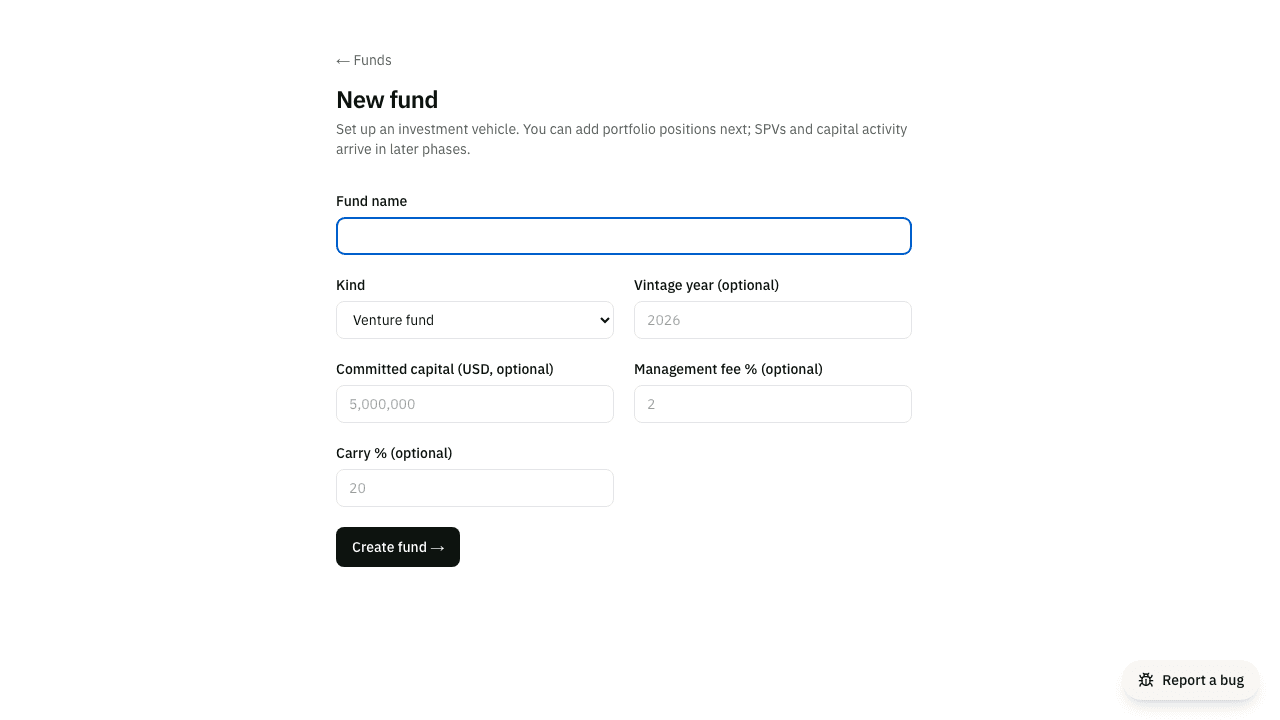
From Funds → New fund, give it a name, a kind (venture fund, SPV, angel fund or syndicate) and a status (raising, investing, harvesting or closed). Committed capital, vintage year, and management-fee and carry rates are optional; add them now or in Settings later.
Add positions
A position is one holding in one company. Add the amount invested, the date, and optionally the security type, share class, quantity, and ownership %. You can link an on-platform company (one whose cap table is already on Tenacap) or name an off-platform one.
Marks & exits
A mark is your current value for a position. Record a new mark whenever the value changes (a markup at the next round, a write-down); every mark is kept as history, so you can see value over time and the IRR reflects it. When a position pays out, record an exit with the proceeds and date, or mark it a total write-off. Exited positions move from residual value into realized distributions.
Performance metrics
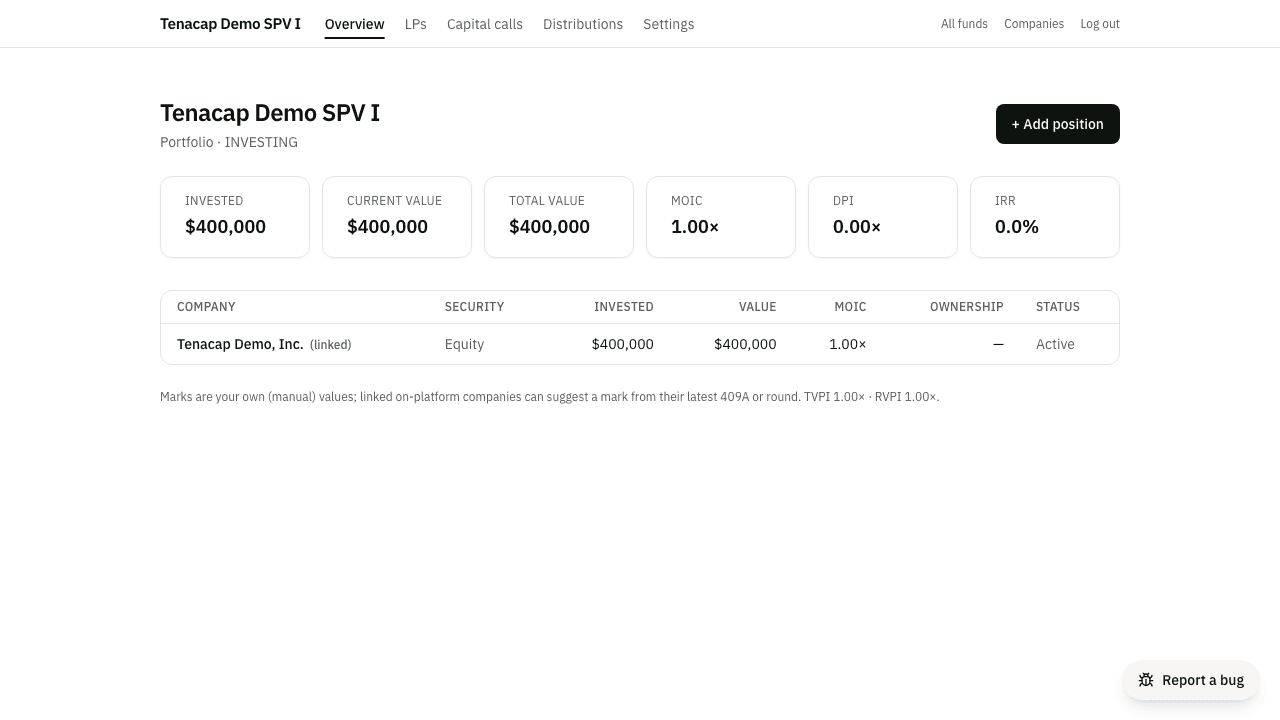
The fund dashboard rolls every position up into the standard fund metrics:
- MOIC / TVPI - total value (current marks + realized) ÷ invested.
- DPI - realized distributions ÷ invested.
- RVPI - current (residual) value ÷ invested.
- IRR - the money-weighted annualized return over your dated cashflows.
Capital calls & distributions
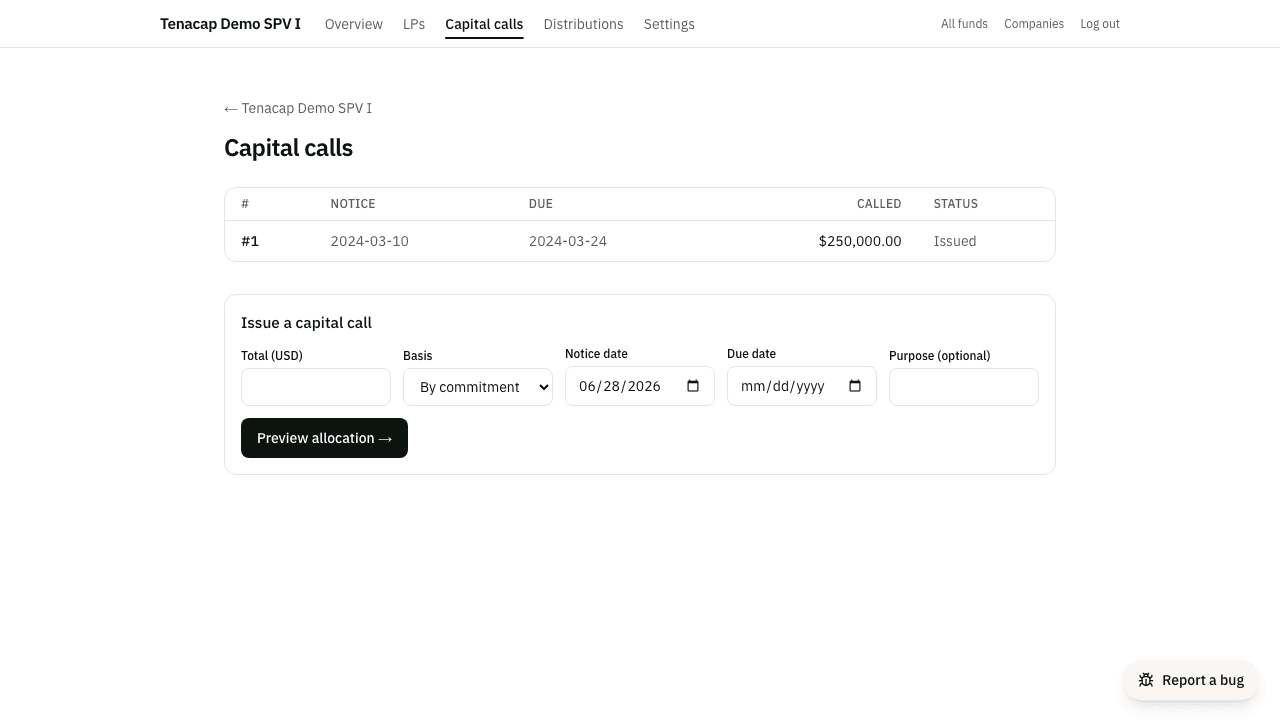
For SPVs, you can call capital from LPs against their commitments and record distributions on an exit. Tenacap splits each event per LP (by commitment or units), withholds carry on the gain over returned capital, and generates the documents: a per-LP capital-call notice, a wiring-instructions PDF, and distribution notices. Mark each LP funded as their wire lands.
Before issuing a call, Preview allocation shows the per-LP split - each LP’s committed, remaining uncalled, and this call’s amount - so you can confirm the math (and catch an over-call) before anything is recorded.
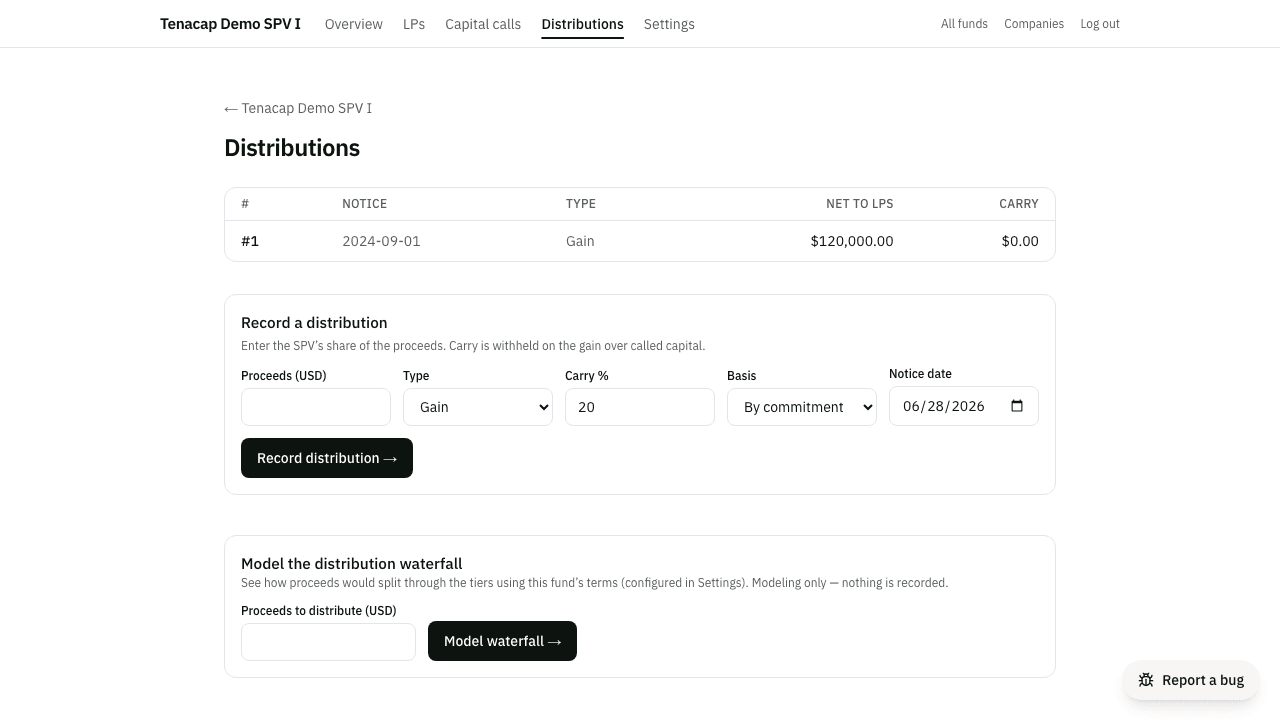
On the Distributions tab you record proceeds and Tenacap runs the fund’s configured multi-tier waterfall - return of capital, preferred return, GP catch-up, then the carry split - cumulatively across the fund: each event’s tier amounts are the marginal step of the whole-fund waterfall at that point, so early distributions return capital and only later ones cross into carry. Every LP’s notice and the distribution detail show their per-tier receipts, and the totals reconcile with the Model the distribution waterfall tool (which previews a hypothetical exit using the same terms). Set carry, preferred return, catch-up, and European/American in fund Settings. You can also request each LP’s e-signature acknowledgment of a call or distribution notice.
At fund close, the GP clawback check compares the carry the GP took across all distributions against its entitlement on the whole-fund result, and shows any amount owed back - for example when a later capital call raises the return-of-capital hurdle after early carry was paid. It’s a document-only figure; no money moves.
LP reporting
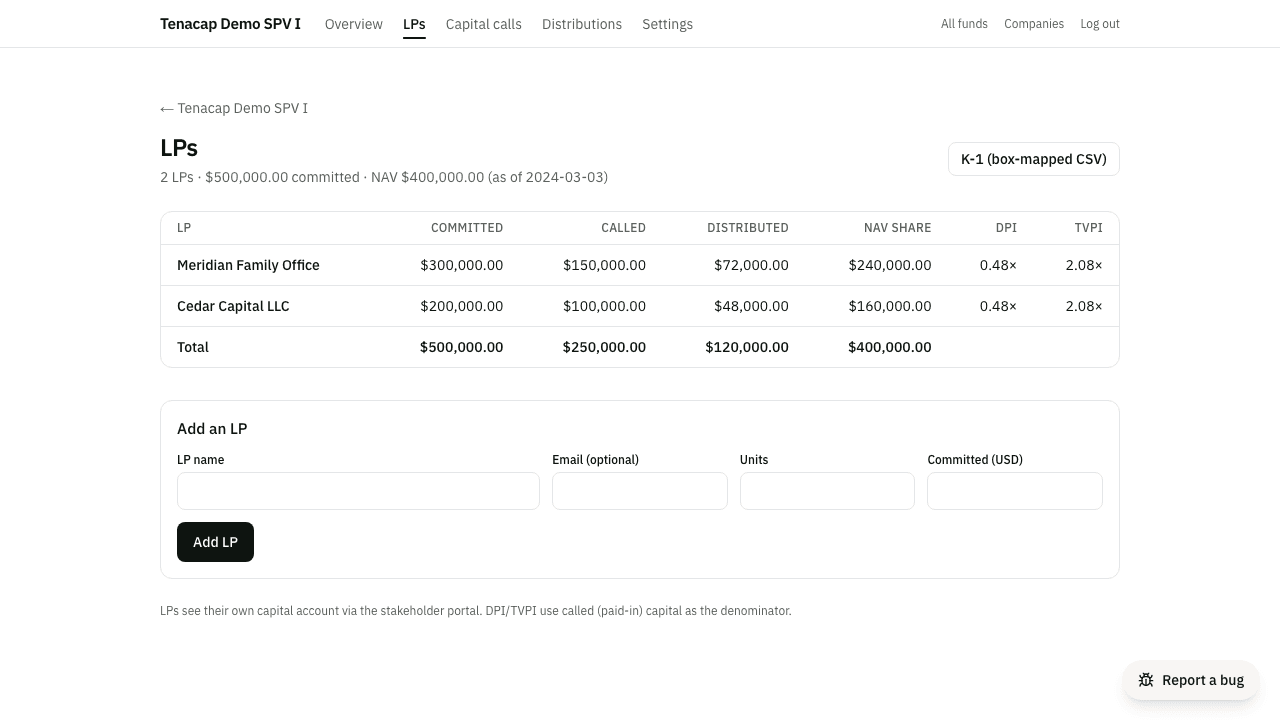
The LPs tab shows each LP’s capital account - committed, called, distributed, their share of the current NAV, and DPI/TVPI - plus a box-mapped K-1 CSV that maps each LP’s figures to Schedule K-1 lines (interest, dividends, capital gain, distributions, and a tax-basis capital-account analysis) as a starting point for your accountant. The mapping uses each distribution’s own return-of-capital / preferred-return / carry-split tiers from the waterfall, so return of capital is excluded from the capital-gain box even when you record the whole event as “Gain,” the natural choice for an exit. Each LP sees their own capital account through the stakeholder portal, alongside their units.
An LP is a stakeholder of the SPV’s underlying company, so they reach that portal the same way any stakeholder does: from the Portal column on the LPs tab, click Invite to portal for any LP with an email on file (an LP added without one shows why the button is disabled - add an email, then invite). The invite is a single-use link that expires in 14 days; the column shows whether it’s pending, expired, or already accepted, and you can resend or revoke it from the same row.
From the portal, an LP can download their capital-account statement as a branded PDF or CSV. The statement adds a year-to-date roll-forward - beginning contributed capital, contributions and the return-of-capital portion of distributions during the period, and ending balance - on top of the point-in-time figures. “Contributed capital” is reduced only by capital returned, not by profit distributed (preferred return or carried-interest split), so it settles at zero once a fully-called LP has all their capital back; the statement also shows the full cash amount distributed for reference. By default a statement shows only that LP’s own numbers; in fund Settings you can opt in to also show fund-level context (fund NAV and fund DPI/TVPI) on every LP’s statement.